
A Wide Array of Online Payment Options for Your GUGOBET Account

GUGOBET leverages SSL technology to keep your financial activities safe and private. Our efficient payment infrastructure supports numerous online methods, ensuring that adding funds or cashing out is always convenient. We are dedicated to your financial peace of mind by keeping our payment terms transparent and easy to follow.GUGOBET payment ensures a secure financial experience for users with the SSL technology. Plenty of online payment methods are provided with our efficient and reliable payment system, makes it easy and convenient to deposit money or withdraw cash. At GUGOBET, we prioritize the financial well-being by making the payment terms simple and smooth.
Content
GUGOBET Deposit Procedure
Depositing funds at GUGOBET is designed to be fast and intuitive, allowing you to jump into the action and start gaming within minutes. Follow the detailed guide below to get started:
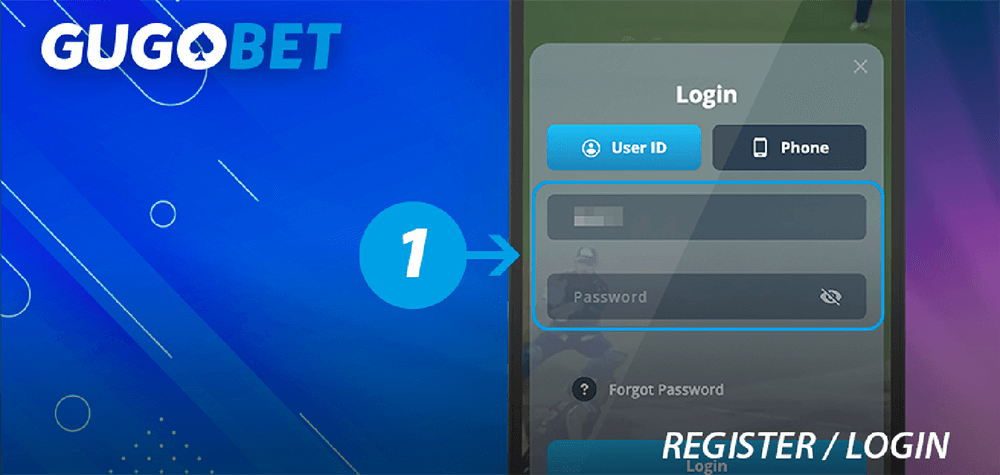
1
Register an account and sign in.
2
Please tab on the bottom of “Deposit”.

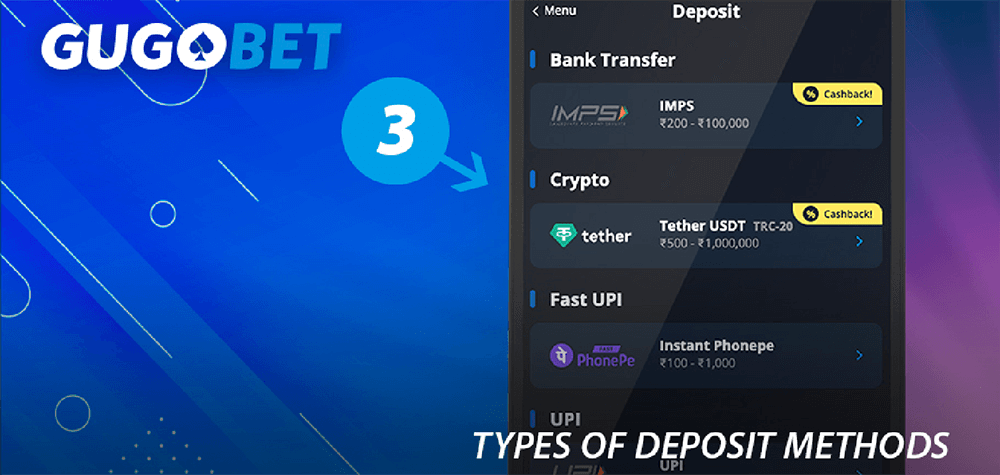
3
Below, you will find a comprehensive list of supported deposit methods, including the minimum and maximum limits for each.
4
Pick your preferred payment method from the list and enter the amount you wish to deposit.
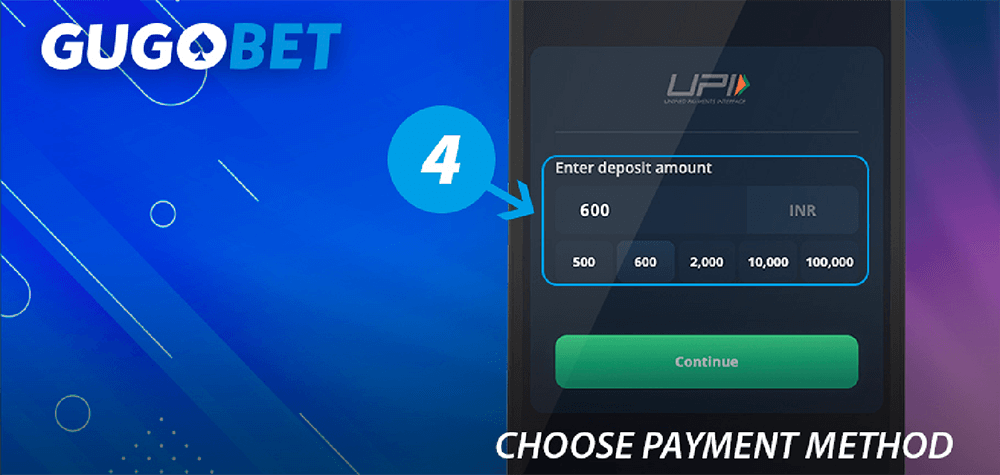
*We accept deposits in Rupees as well as various other global currencies!
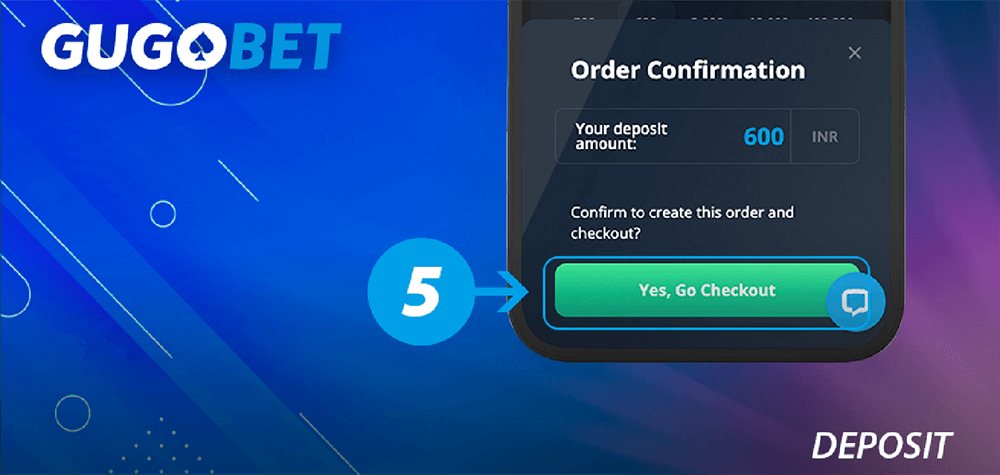
5
Hit the “Continue” button, then confirm your choice by selecting “Yes, Go Checkout”.
6
Transfer the funds to the provided address and complete the transaction within 10 minutes.

7
Once the transfer is done, please enter your 12-digit UTR number for verification.
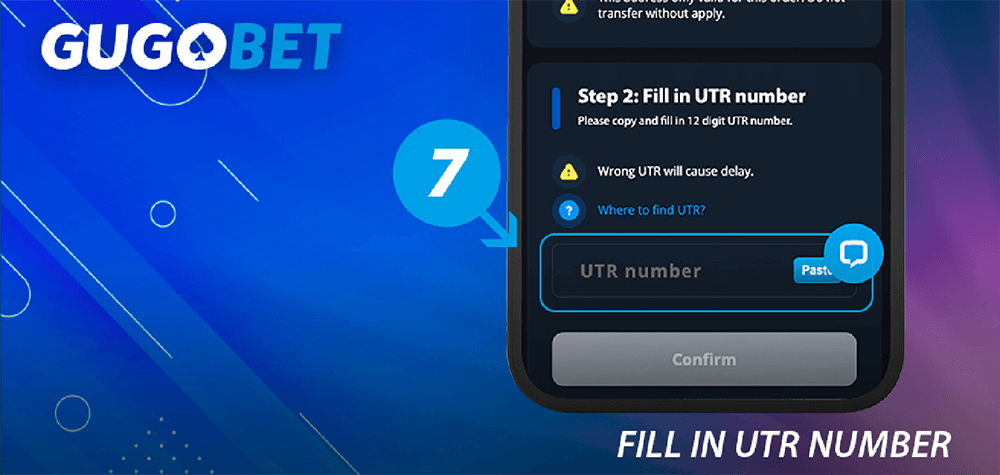
8
Your deposited funds will be credited to your main wallet almost instantly.

GUGOBET Withdrawal Procedure
We strive to make withdrawing your winnings as fast and painless as possible. With just a few clicks, your money can be on its way to you. Here is how to do it:
1
Log in to your account via the app or the website. *If you haven't joined us yet, please register first.app or website. *Please register first if you are a new player.
2
Access the main menu in the top-left corner and click on the “Withdraw” option.
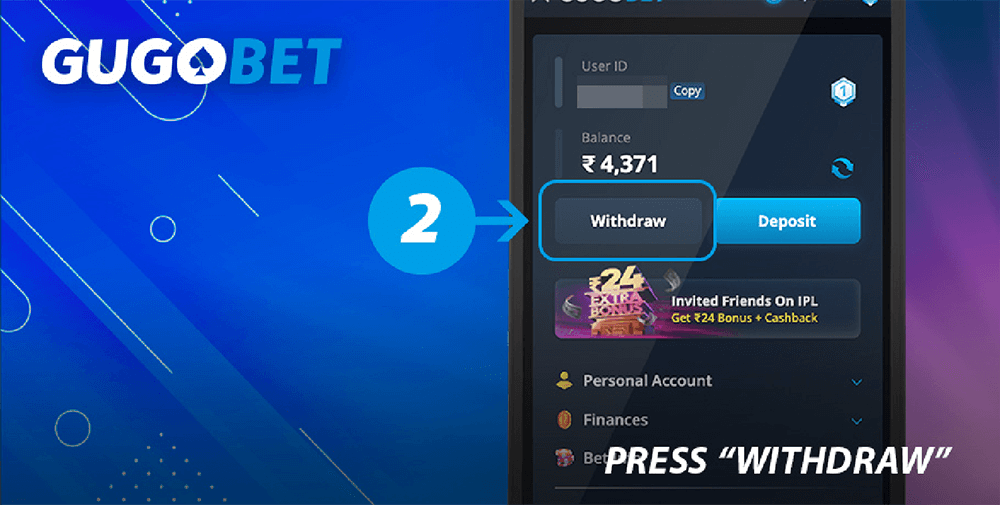

Please ensure your phone number has been verified before proceeding.
3
Create a secure six-digit PIN to authorize your withdrawals.
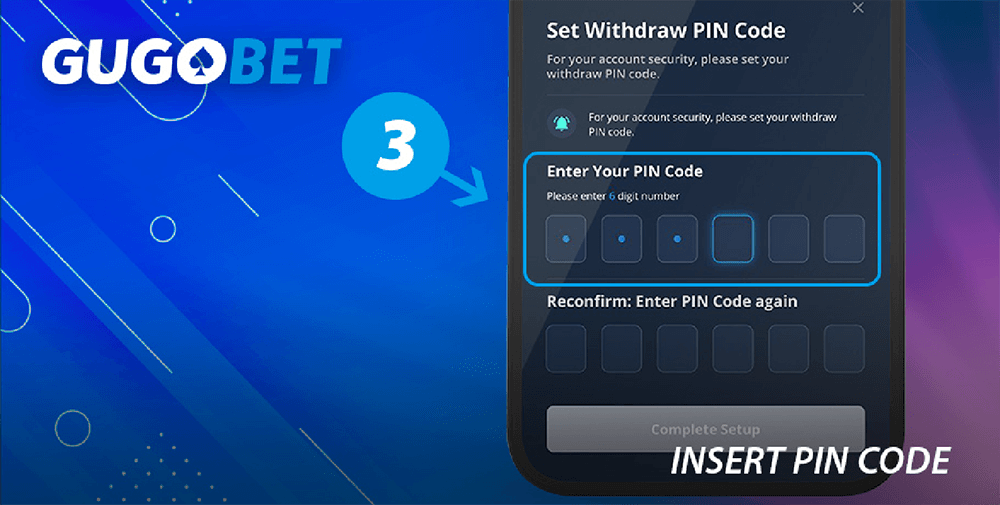
4
Enter it twice to confirm it.
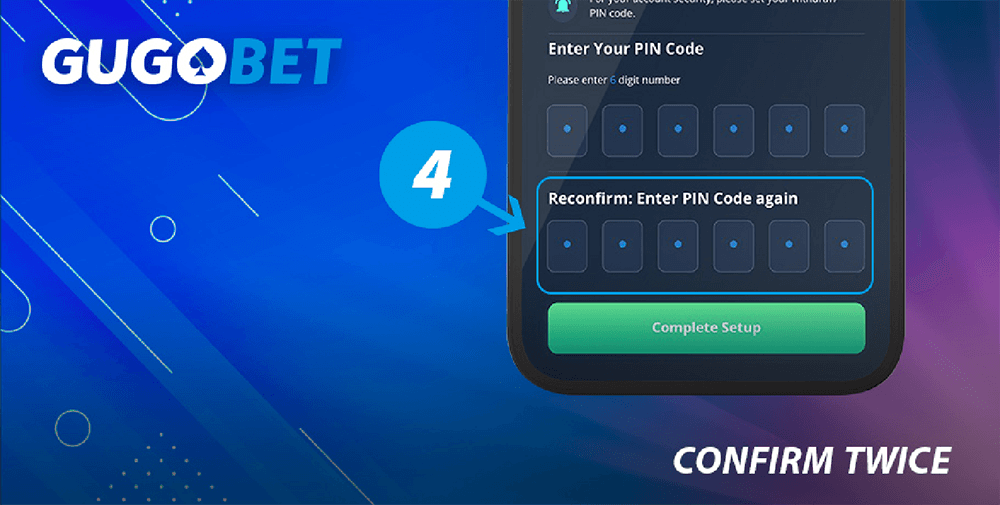
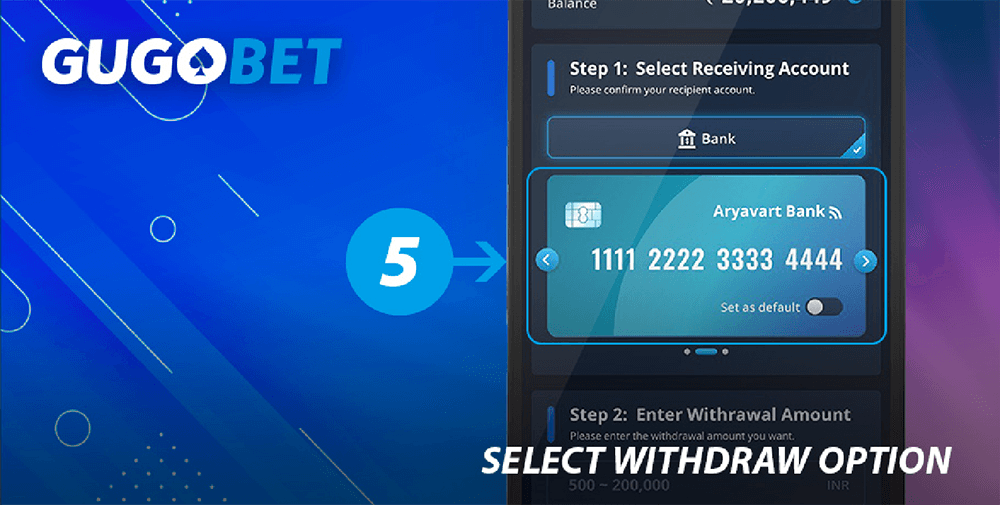
5
Choose your preferred payout method, such as a bank account or e-wallet.
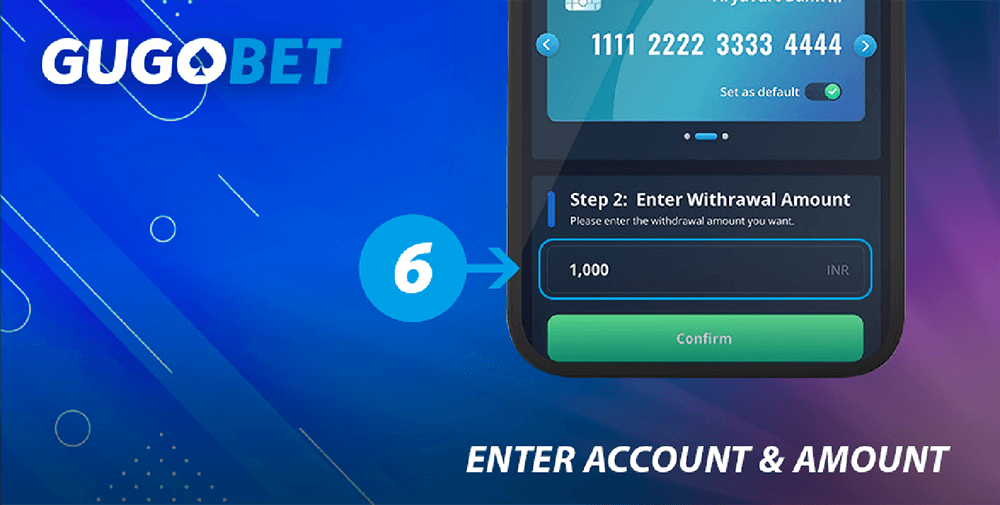
6
Input your account details and the total amount you wish to withdraw.
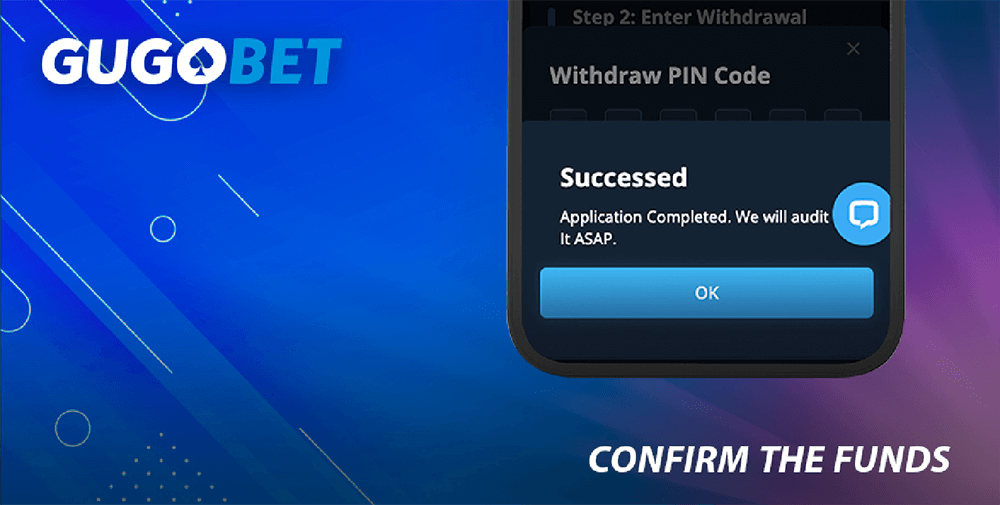
7
Confirm the request and wait for the funds to arrive in your account.
Payment Notification

- Per GUGOBET's security policy, only verified accounts are eligible for withdrawals. To get started, create an account and complete your profile in the “Personal Details” section, including your email, date of birth, and a verified phone number.Sign up first and fill your required information like: date of birth, email, and verified phone number in the “Personal Details” section.
- Keep in mind that different banks and e-wallet providers may have their own specific limits on how much you can deposit or withdraw.
GUGOBET Payment Options
Please select the bank or e-wallet that works best for you.
| Payment Method | Deposit (INR) | Withdraw (INR) | Time |
|---|---|---|---|
 | 500 | 1,000 | instantly |
| 100,000 | 200,000 | 5-10 mins | |
 | 500 | 1,000 | instantly |
| 1,000,000 | 200,000 | 5-10 mins | |
 | 500 | 1,000 | instantly |
| 100,000 | 200,000 | 5-10 mins | |
 | 300 | 1,000 | instantly |
| 50,000 | 200,000 | 5-10 mins | |
 | 500 | 1,000 | instantly |
| 100,000 | 200,000 | 5-10 mins | |
 | 500 | 1,000 | instantly |
| 100,000 | 200,000 | 5-10 mins |

Questions about Deposit
If you run into any trouble while depositing, it might be due to one of the following reasons:
- The amount you entered is either too low or exceeds the maximum limit allowed;
- There is a mistake in the wallet information you provided;
- The payment system is experiencing temporary technical difficulties.
If your problem isn't listed here, please reach out to the GUGOBET customer support team for help.
Questions about Withdrawal

If you encounter issues while trying to withdraw your funds, it could be because of the following:
- Your phone number is not verified;
- The payment details you entered are incorrect;
- The withdrawal amount falls outside the permitted range;
- You haven't yet met the wagering requirements for an active bonus.bonuses are not completed
- Typing wrong withdraw PIN code.
For any other concerns not mentioned here, don't hesitate to contact the GUGOBET support team.customer service team.
FAQ
Yes, you can cancel the request at any time, provided the transaction hasn't been processed yet.
Yes, to ensure security, we must verify your personal identity before funds can be withdrawn.
First, check the transaction status to see if it failed. If the status shows as successful but the funds aren't in your account, please contact our support team.
No, all transactions on our platform are completely free; we do not charge any processing fees.
Usually, rejections happen for one of three reasons: (1) The amount entered is either below the minimum or above the maximum limit. (2) You have insufficient funds in your balance to cover the requested deposit or withdrawal. (3) A temporary system glitch occurred; in this case, please try again shortly.
(1) If the entered amount is greater than or less than the specified range, the transaction will be rejected.
(2) If your account balance is less than the desired deposit amount or your game balance is less than the intended withdrawal amount, the transaction will be declined.
(3) If there’s some technical issues in the system, you can try it again later.