
Create and access your Gugobet account for the full gaming experience

We've kept the Gugobet registration process short and sweet so you can get to the fun as quickly as possible. In just a few minutes, you'll be all set to dive into our massive library of casino games and sports betting markets.Gugobet registration only required a few steps to ensure users can easily experience the joy we bring. You can complete the entire sign-up process within few minutes. Once finished, you can start exploring our extensive casino games and online sports betting offerings.
Content
How to Sign Up on GUGOBET?
Joining GUGOBET is fast and hassle-free. You can start placing bets almost instantly since we don't make you wait for a verification code to get started. Rest assured, your data is safe thanks to our advanced SSL encryption technology.GUGOBET offers a quick and straightforward account sign-up process. You can start betting in a minute without waiting for a verification code. More importantly, we provide a secure platform with our SSL technology.
1
Head over to the official GUGOBET website or open the GUGOBET App.GUGOBET official website or GUGOBET App.

2
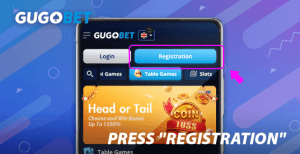
Look for the “Registration” button located in the top right corner of the main lobby.
3
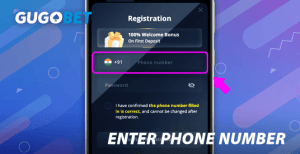
Enter phone number.
4
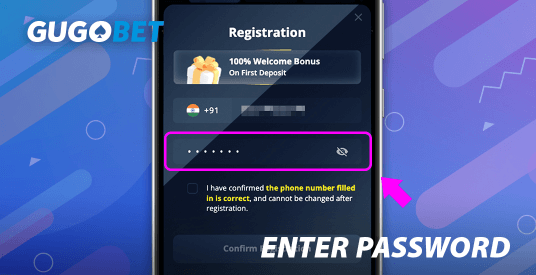
Enter password.
5
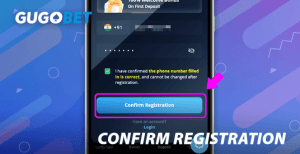
Check the box to confirm that all the details you've provided are accurate.
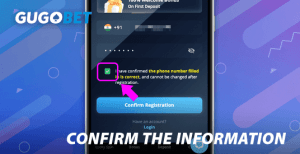

Keep in mind that your phone number is permanent once the account is created; you'll only need to verify it when you're ready to withdraw your winnings.
6
Hit the “Confirm Registration” button to finalize everything.
7
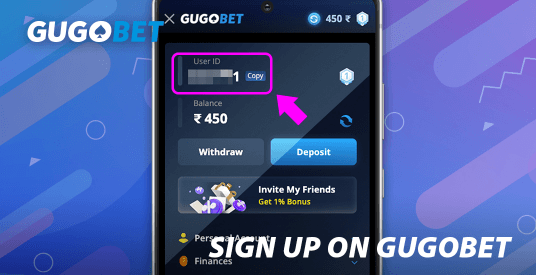
After you finish, you'll be signed in automatically and assigned your own unique user ID.

Restriction of Registration
1
Users must be 18+ years old.
2
Please note that we allow only one account per person. Do not attempt to create multiple profiles using the same ID or phone number.
3
For your own security, never share your password or private account details with anyone else.
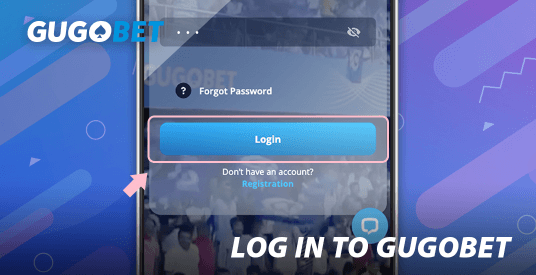
How to Log In to GUGOBET
1
Click the “Log In” button found in the top right corner of the screen.

2
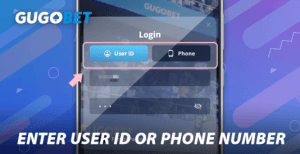
Use the user ID assigned to you by the system or the phone number you used during sign-up.
3
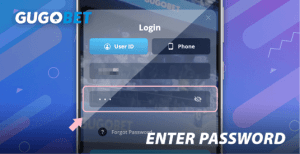
Enter the password.
4
Tap on the “Log In” button.
What if I Forgot Password?
1
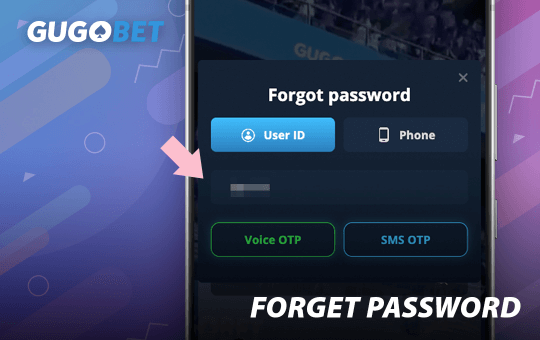
If you've forgotten your credentials, click “Log In” and then select the “Forgot your Password?” option.
2
Enter the user ID or phone number associated with your profile to recover access.
3
Choose Voice OTP or SMS OTP;
4
Once you receive your verification code via SMS, type it into the ‘Enter code’ field.
5
Enter your new password 2 times;
6
Click on “Reset Password” button.
How Can I Edit GUGOBET Profile?
1
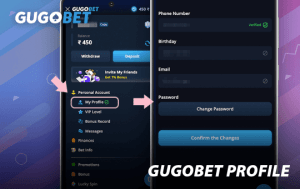
Click the menu in the top left corner.
2
Select “Personal Account”.
3
Select “My profile”.
4
Provide your phone number, date of birth, and a valid email address.
5
Click “Confirm the changes”.
Double-check your entries carefully, as these details cannot be changed later.

How Do I Check My VIP Level?
1
Click the menu in the top left corner.
2
Click your “Member Level Badge”.
3
Here you can check your Member Level.
How can I increase my VIP level?
The GUGOBET VIP program uses a specialized system to track your daily activity and betting patterns, including:GUGOBET VIP membership that will judge your daily betting behavior, including:
1
Deposit amount;
2
Withdrawal amount;
3
Betting amount;
4
Online time;
5
Betting behavior;
6
Your level of engagement with platform events and other activities...
Each VIP tier comes with its own set of perks and rewards. Naturally, the higher your rank, the more exclusive and lucrative the bonuses become.
How do I check the bonus I've received from GUGOBET?

1
Click the menu in the top left corner.
2
Select “Personal Account”.
3
Select “My bonus Record”.
4
You can filter by different date ranges to review your bonus history.bonus record.

How Could I Check My Message?
1
Click the menu in the top left corner.
2
Select “Personal Account”.
3
Select “Messages”.
4
Take a look at your inbox to see both current and archived messages.
All official system notifications are sent here. We recommend checking this section often so you don't miss any important updates.
GUGOBET Account Rules
1
You must have a registered account to place bets with real money.
2
Since profile information is permanent, please reach out to our customer support team if you realize you've saved something incorrectly.customer service for assistance;
3
Your personal account details are private and only accessible when you are logged in.
4
We reserve the right to block accounts that show signs of illegal activity or abnormal betting patterns.
FAQ
No, creating an account is completely free of charge.
No verification is required to play games or place bets at GUGOBET; you'll only be asked to verify your account when you request a withdrawal.GUGOBET , it’s only necessary when making withdrawals.
No, once your personal details are verified, they are locked in and cannot be altered.
If our system detects suspicious or irregular betting behavior, the account will be suspended.